Open source · macOS and Linux
Work with AI agents. Keep the context.
trameria is a desktop app for talking to Claude Code and Codex, with the work you carry, your documents and the people involved in the same place. Agents read what happened before they act, so you don't explain it all again.
For Macs with Apple silicon and x64 Linux. Free; no trameria server, no account.
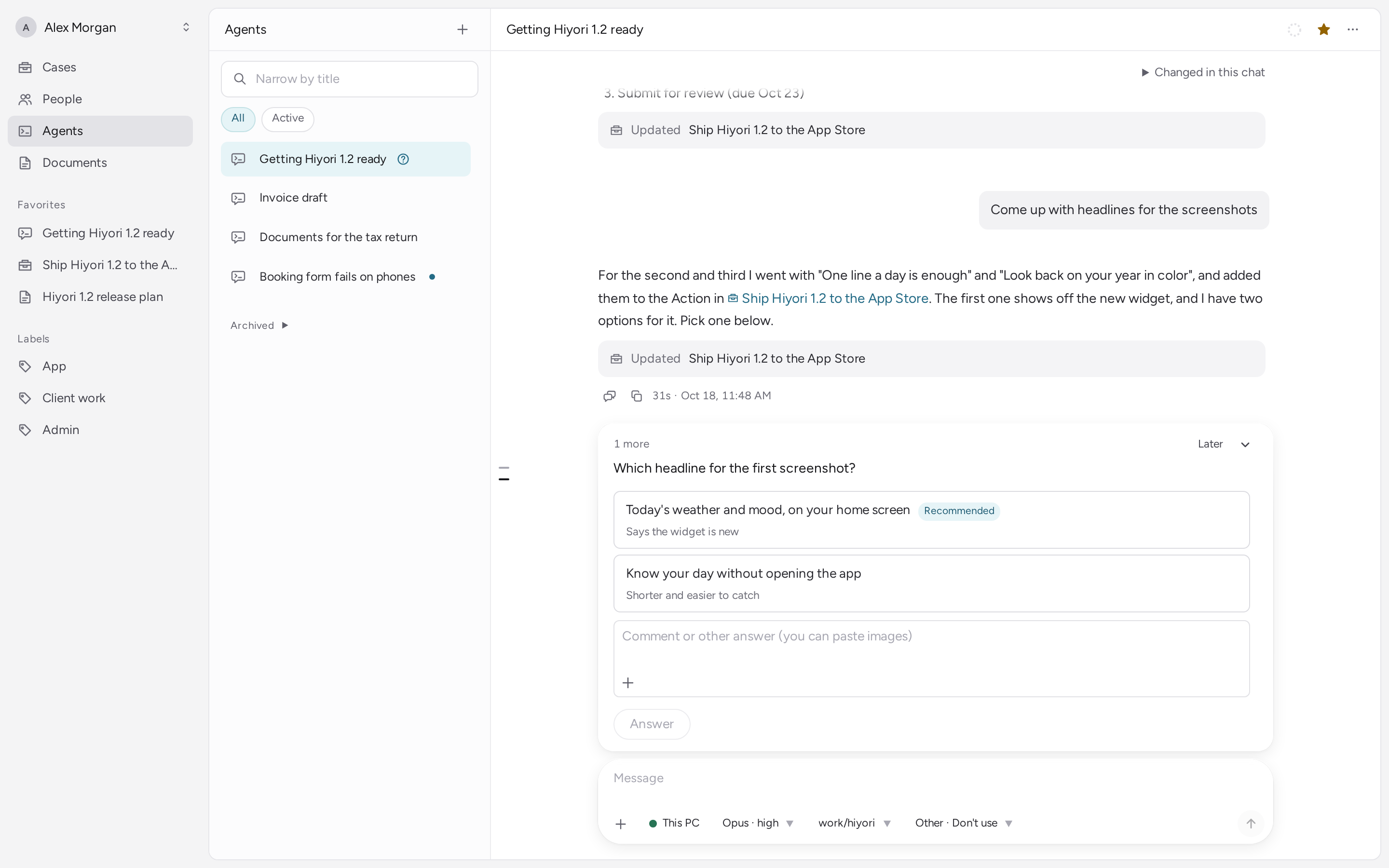
No summing up after the conversation
Agents read and write the same Cases, Documents and People you see on the screen, through trameria's MCP tools. What was decided, what to do next and what you are waiting for end up in the Case as you talk.
Agents
Talk to the Claude Code and Codex you already use
trameria runs the CLIs you have installed, signed in as you. An agent can hand work to child conversations, put questions and requests to you below the conversation, and draft messages for you to send.
Cases
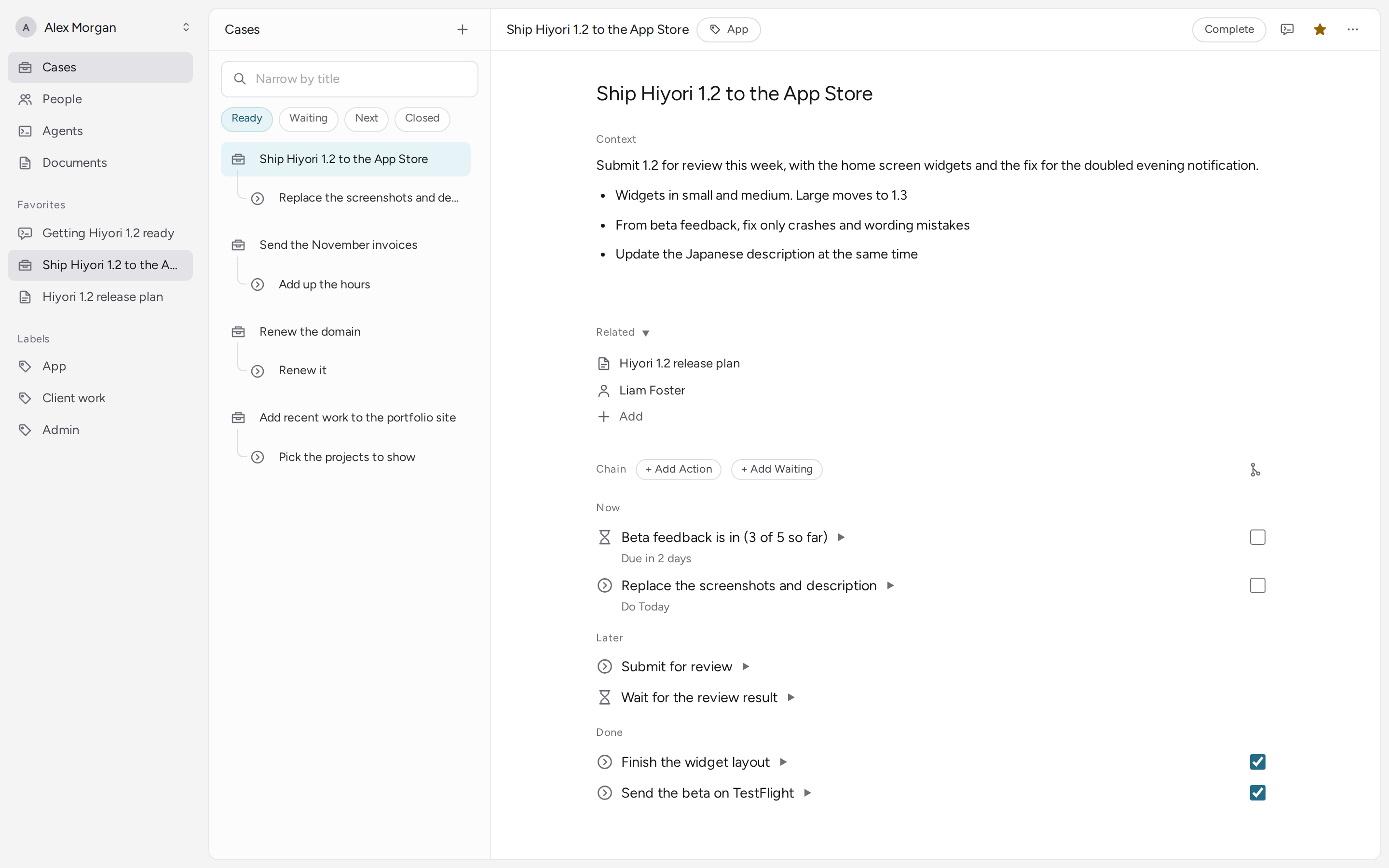
Carry each piece of work as what to do next and what you wait for
A Case is a chain of Actions (what to do next) and Waitings (what you are waiting for). Its context — what the trouble is, the plan, where things stand — and the agent's handover notes stay with it, so the next conversation picks up from there.
Documents
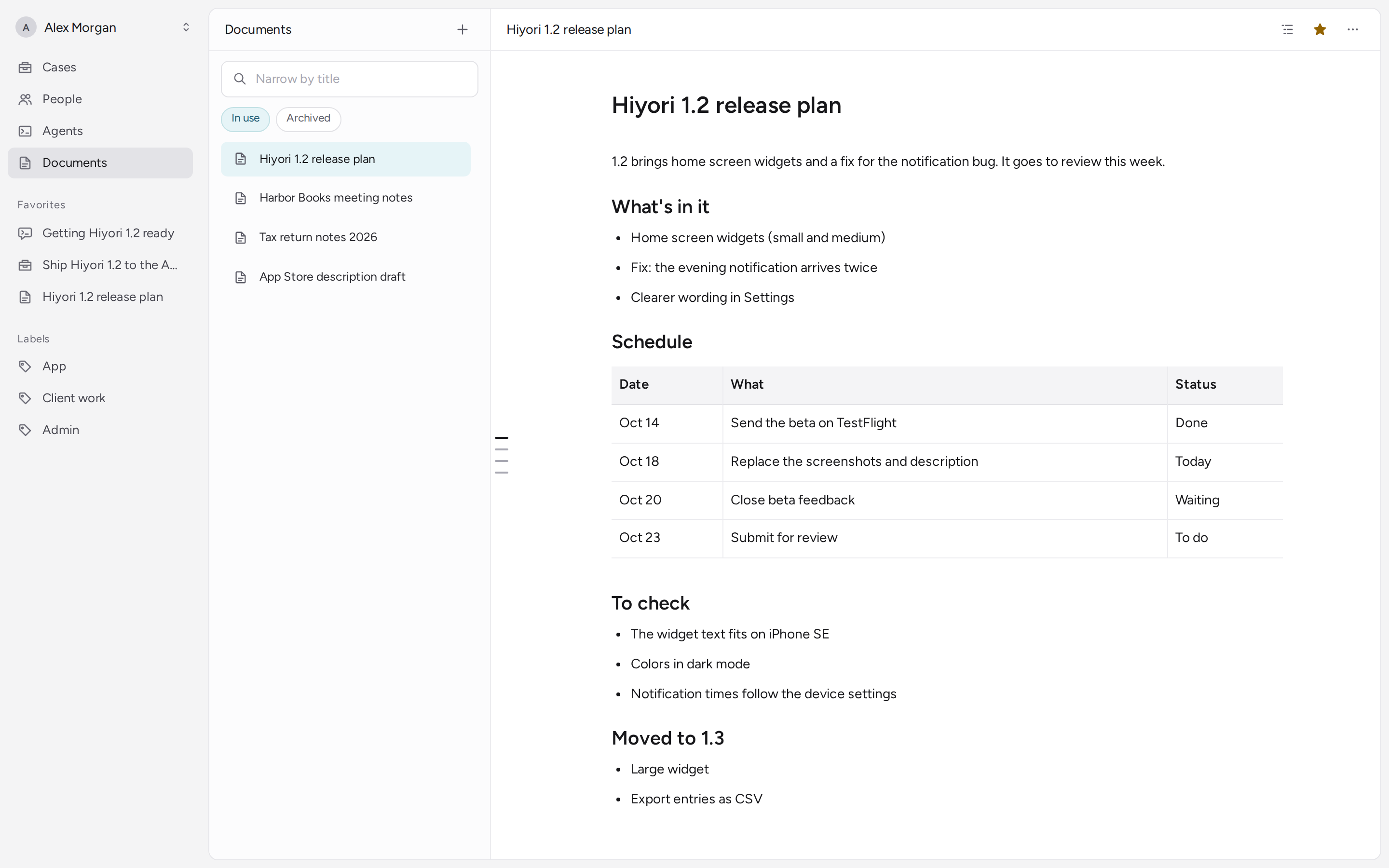
What you write, in the same place
Documents with headings, tables and code. Edit them in several windows at once, with version history and attached files. Agents read and add to the same documents.
People
No need to remember who is who
The people your Cases involve, and what has passed between you. An agent reads it before drafting a reply.
No trameria server. No account.
This app is for one person on one computer. “Offline” here means that everything works without a trameria server.
Your data is one folder on your computer
The database, attached files and settings live in one folder. Quit the app and copy the folder, and you have a backup, or a move to another computer. For power cuts, the app also keeps one recent backup by itself.
Nothing is sent to trameria
No account, no analytics, no crash reports, no update checks.
Agents talk to their own services
Claude Code and Codex talk to their services (Anthropic, OpenAI) as they always do. Cases and Documents an agent reads in a conversation go there too.
Exactly what the app reads and where anything goes (PRIVACY.md)
Install
The first release is being prepared. Once it is out, these buttons download the newest version directly.
macOS Apple silicon
Open it and drag trameria to Applications. The app is signed with a Developer ID and notarized by Apple. It lives in the menu bar; closing the window keeps it running.
Linux x64
Make it executable (chmod +x) and run it. Some distributions need FUSE 2 (libfuse2) for AppImages. Closing the last window quits.
You also need
Claude Code or Codex (or both), installed and signed in. trameria finds claude and codex on your login shell's PATH.
Updates
The app does not check for updates. Watch the repository's releases on GitHub to hear about new versions.
Checking a download
Every file on a release has a build provenance attestation: which commit and which workflow run built it.
gh attestation verify \
  trameria-mac-arm64.dmg \
  --repo trameria/trameria
All of the source is open
The app and its core are AGPL-3.0; the parts that run Claude Code and Codex are Apache-2.0. You are free to change trameria for your own use.
Bug reports and requests are welcome as issues. Pull requests are not accepted for now.
For teams: trameria Cloud
trameria Cloud is the hosted service for teams, built on the same core and screens, with team conversations, documents and calls. Agents run on your computer or in a trameria Cloud sandbox. New accounts are let in a few at a time.
Syncing this app with trameria Cloud is planned. It will work only after you sign in, and the release that adds it will first say in PRIVACY.md exactly what is sent.